
Add from a photo
Snap the list on the fridge.
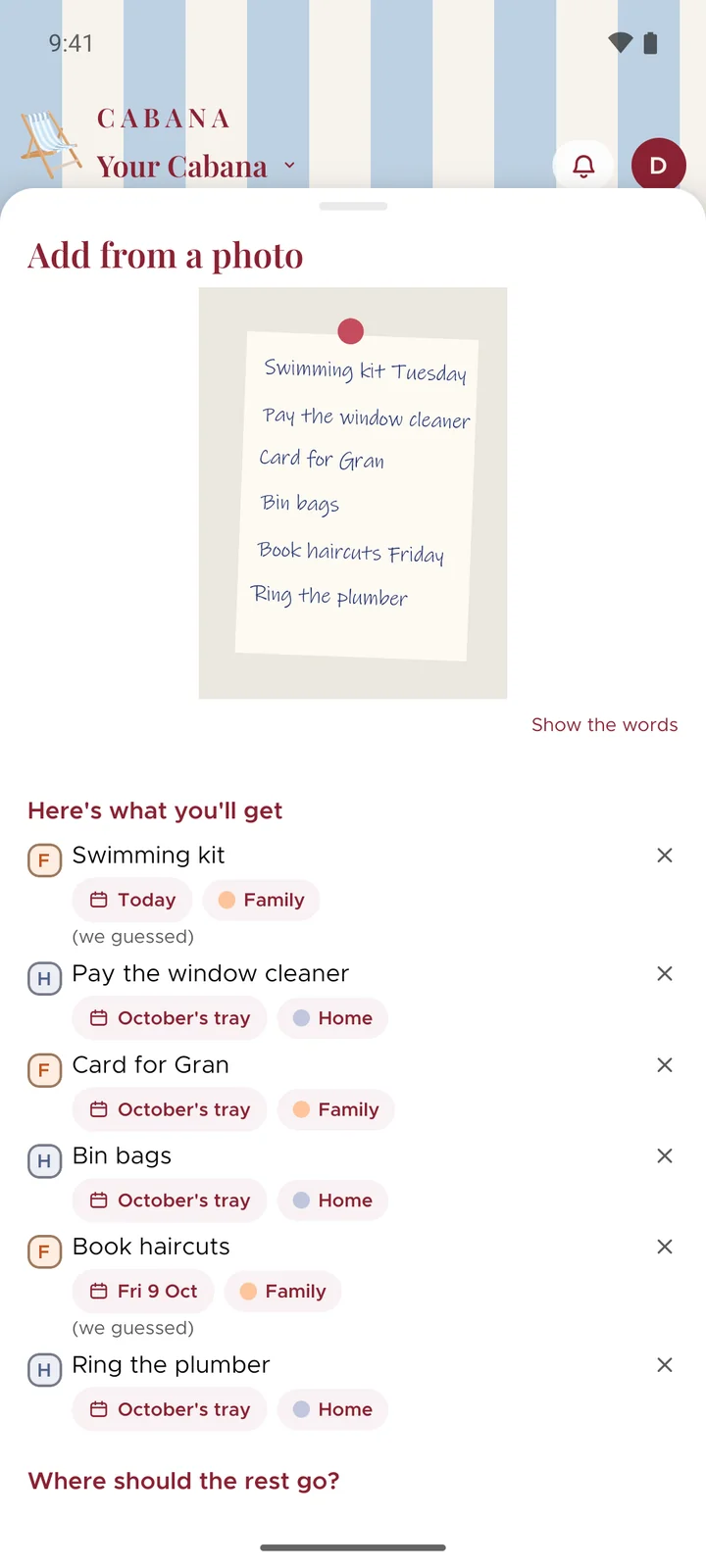
The shopping list on the fridge, the whiteboard at work, the back of an envelope. Take a photo and Cabana reads it into tasks, days and all.
On iPhone, Android and the website
How it works
Take a photo, or pick one
Add from a photo is in the + menu. Snap it there and then, or choose one you took earlier.
We read the words
The writing comes off the picture and turns into tasks. Write a day next to something and it lands on that day.
Say where the rest go
Anything without a day can wait in the month's tray, go on today, or go on a day you pick. Then add them all.
Good to know
- Your picture stays put
- On iPhone and Android the reading happens on the phone, and on the website it happens in your browser. The picture never comes to us. Only the words do, to be turned into tasks.
- Straight from your gallery
- On Android you can share a photo to Cabana from the gallery, or from wherever else it is. On an iPhone with iOS 18 there's an Add from a photo button for Control Centre too.
- Neat-ish writing reads best
- Clear handwriting and printed lists come out nicely. Plain paper beats lined paper, and a photo taken straight on beats one from an angle.