
Repeating tasks
Not everything needs a time. Some things just need a Tuesday.
Pilates every Tuesday is one task with a rule, not forty copies clogging up your month. Set it once and it turns up on the right days.
On iPhone, Android and the website
How it works
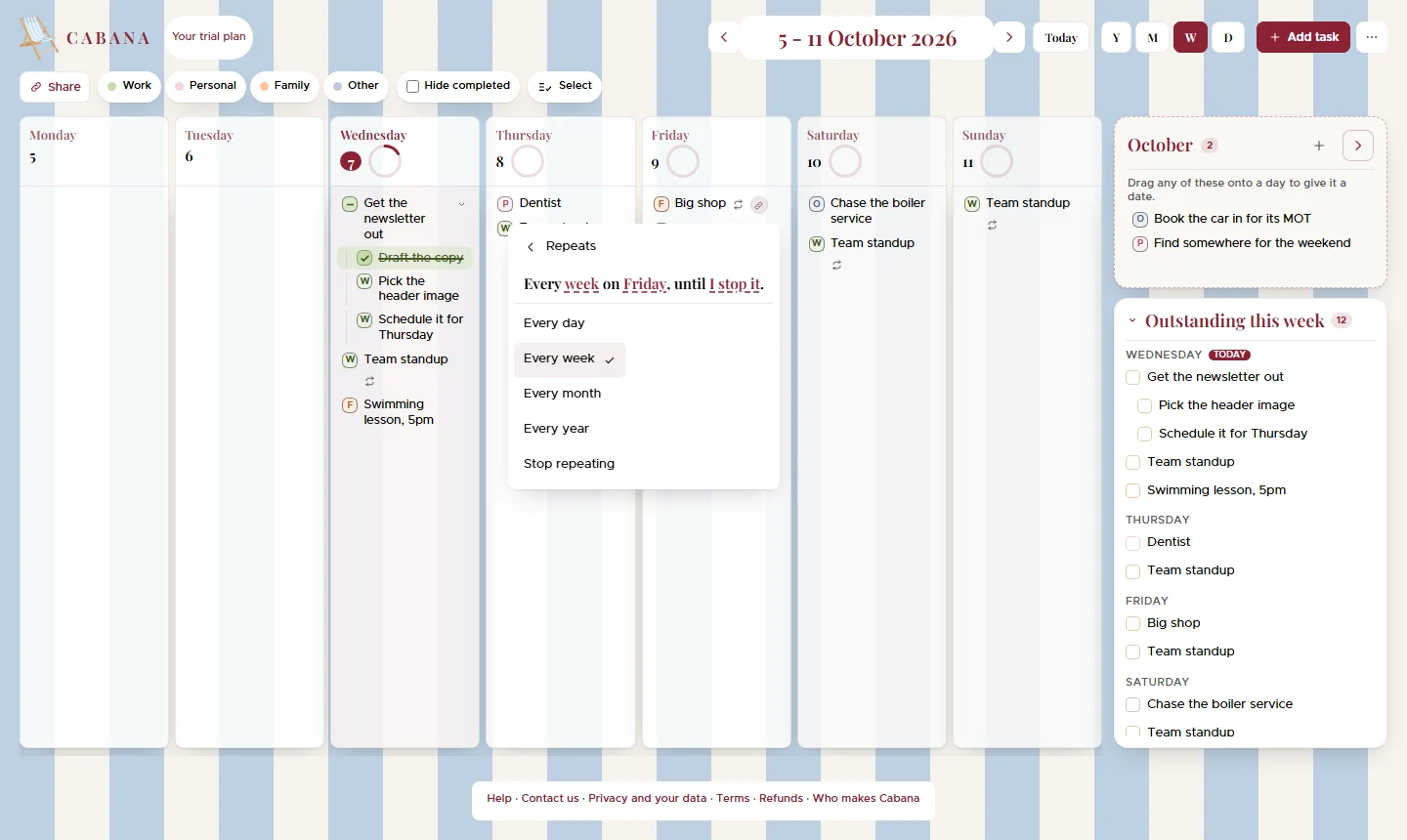
Pick how often
Every day, every week, every month or every year, from the task's menu.
Fine-tune it if you need to
Tap the sentence it writes for you: every other week, Mondays and Fridays, or the second Tuesday of the month.
Tick it one day at a time
Each day's tick is its own. Skip one week without touching the others, or stop it from a day onwards.
Good to know
- It stops when you say
- When you stop it, in a month, three months, six months or a year, on a date you pick, or after so many times.
- Move it once
- Move it to Wednesday and every Tuesday becomes a Wednesday. No hunting down forty copies.
- Bits under it, every time
- Put sub-tasks under a repeating task and they come back fresh each day it does, ticked off on that day alone.