
Sub-tasks
Big scary things, in small doable bits.
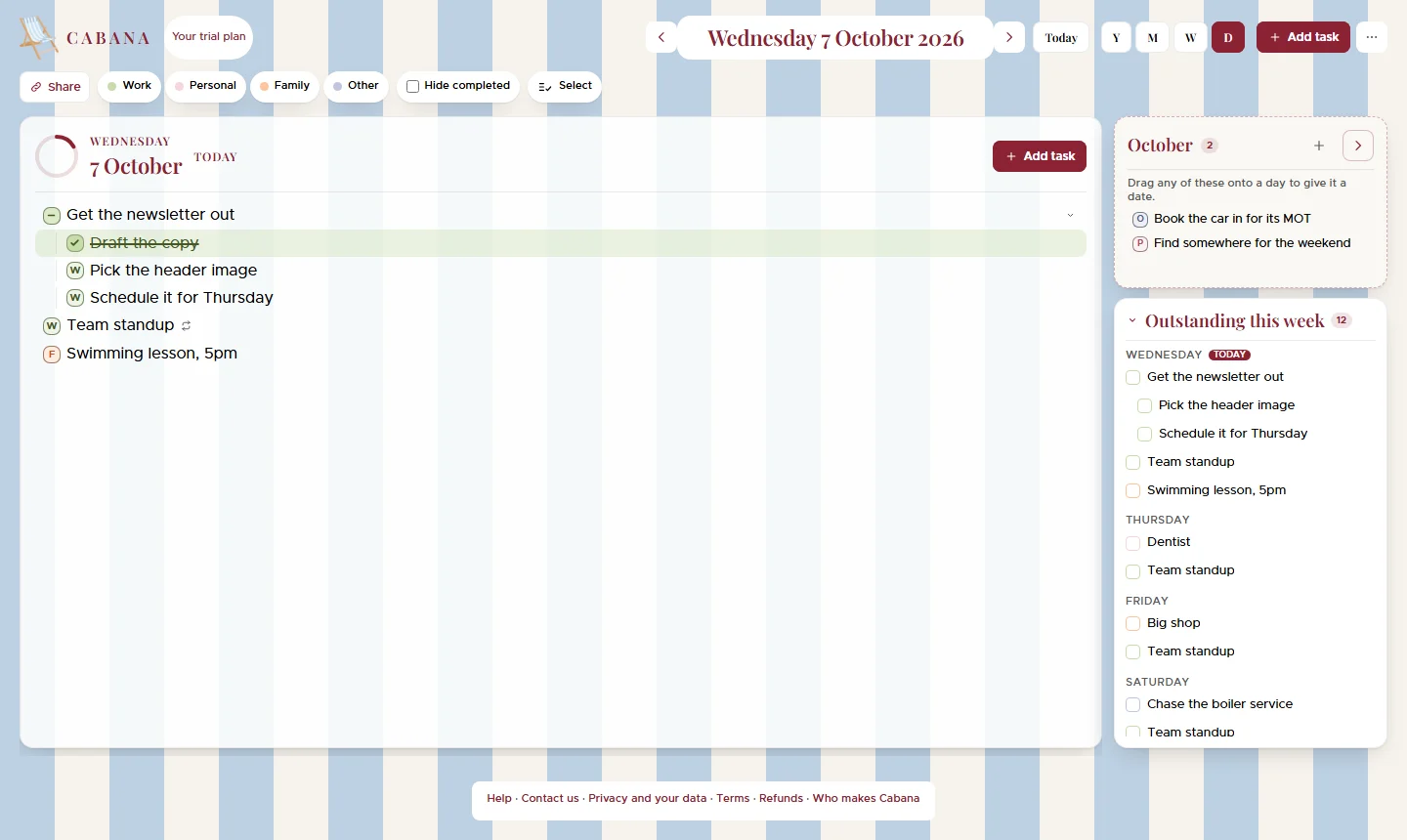
Tuck the little jobs under the big one. Tick the big one and everything under it goes with it, and anything half done shows you it's half done.
On iPhone, Android and the website
How it works
Write the big thing
"Plan Mum's birthday." Scary on its own. Fine in pieces.
Tuck the bits under it
Drag a task sideways to put it under the one above. On a phone, hold it for a moment first, then slide.
Tick as you go
The big one wears a little dash while it's half done, and ticks itself off when the last bit's done.
Good to know
- Three levels deep
- A task, the bits of it, and the bits of those. Enough for a house move, not so many that the list stops making sense.
- Fold it away
- Close a big task to hide its bits, and it tells you how many are tucked inside.