
Sharing
Share the work bit, keep the dentist.
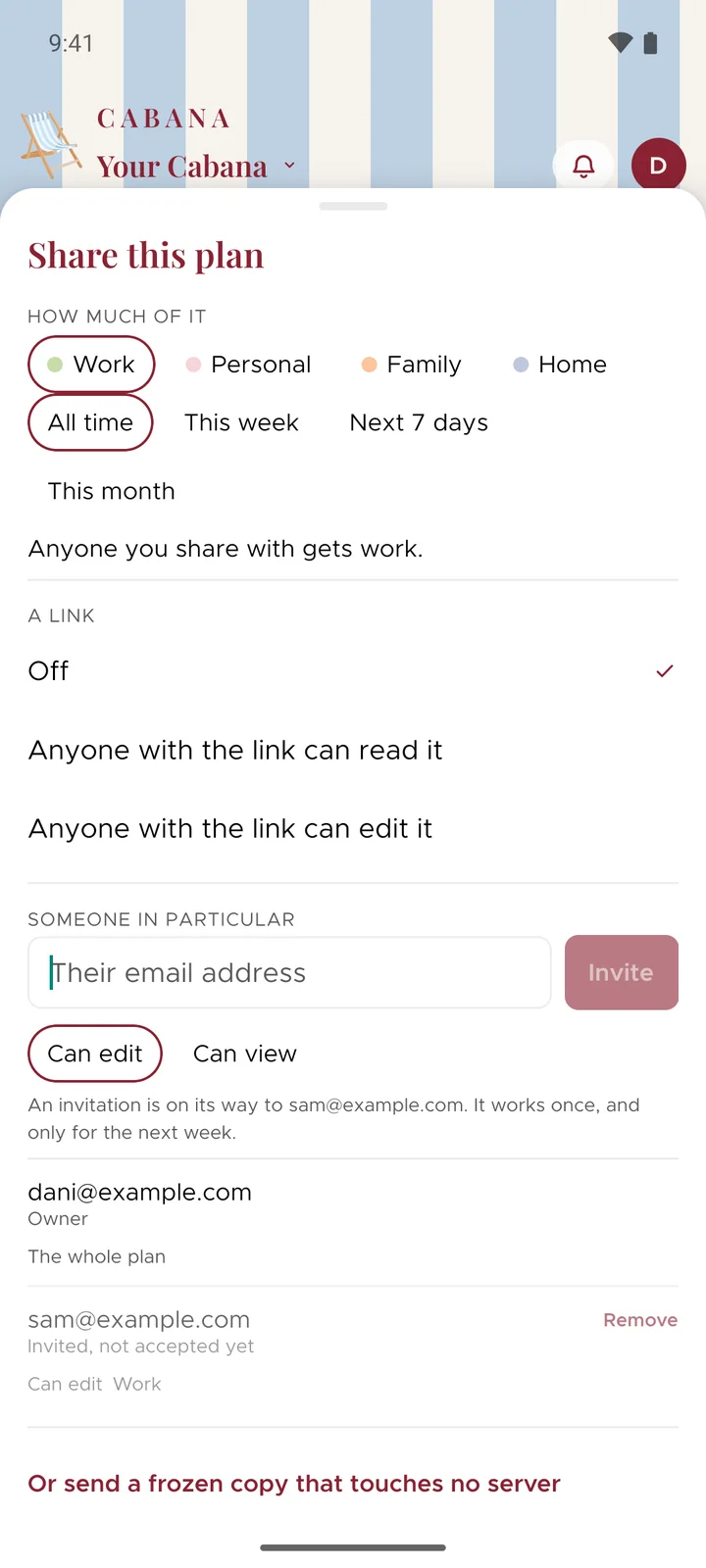
Share a whole plan with your people, or only the part they need. Your flatmate gets the bins rota. Work gets the launch plan, and not a thing beyond it.
On iPhone, Android and the website
How it works
Choose how much
Everything, or only some categories. And if you like, only this week, the next seven days or this month.
Choose who
Send a link anyone can read or edit, or invite somebody by email to view or to edit.
Do life together
They add, change and tick off tasks, and you see who did what behind the bell.
Good to know
- Your people come along free
- Whoever owns the plan pays for it, and everyone they share it with uses Cabana without paying a thing.
- Only the bit you chose
- Somebody you've shared your Work category with never sees Home or Family, on any device. Reading a link needs no account. Editing as an invited person does.
- Or send a frozen copy
- A snapshot carries the plan inside the link itself, so no server holds a copy. It doesn't change after you send it, which is the point.