
What's new in Cabana 1.2.0
New ways to get everything out of your head and onto the right day: say it, snap it or forward it, plus Siri on the iPhone and a home screen widget on Android.
This update is all about the bit before the planning: getting everything out of your head and into Cabana, however it turns up. It's on the website, the iPhone app and the Android app.
New ways in
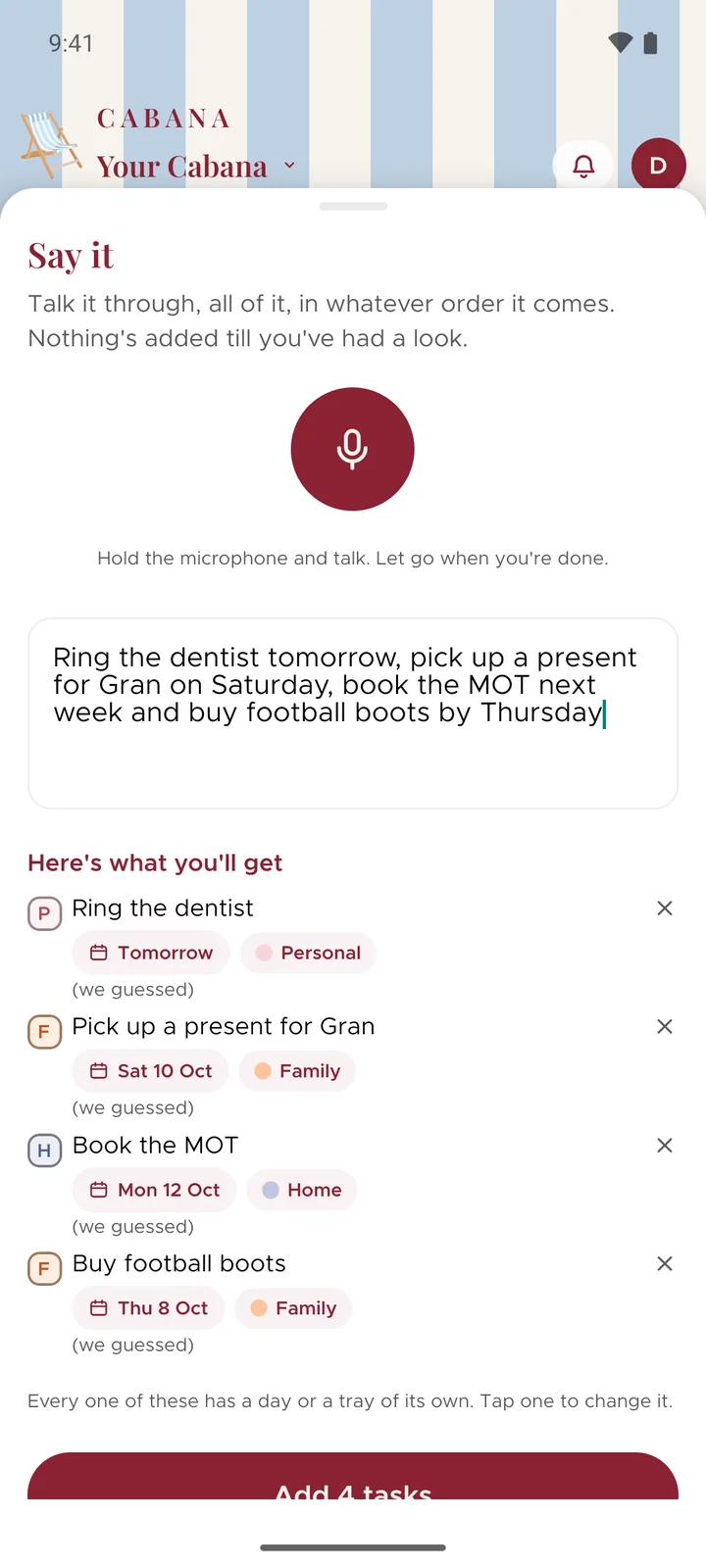
- Say it. Hold the microphone, talk your week through in whatever order it comes, and it's sorted into tasks on the right days. You check them before anything's added.
- Add from a photo. Snap the list on the fridge, or pick one you took earlier, and it turns into tasks, days and all. The photo never leaves your phone or your computer.
- Email it in. Your plan has its own email address. Forward the school letter or the booking confirmation, and it waits behind the bell for a quick yes.
- Brain dump. Type or paste the lot, messy paragraphs included, and it's sorted into tasks.
On your iPhone
On iOS 18 and later, say "Hey Siri, add to my Cabana", tell it what, and it lands on the right day without you touching your phone. If you didn't say a day, Siri asks. You can start Say it from Control Centre, the Lock Screen or the Action button too.
On Android
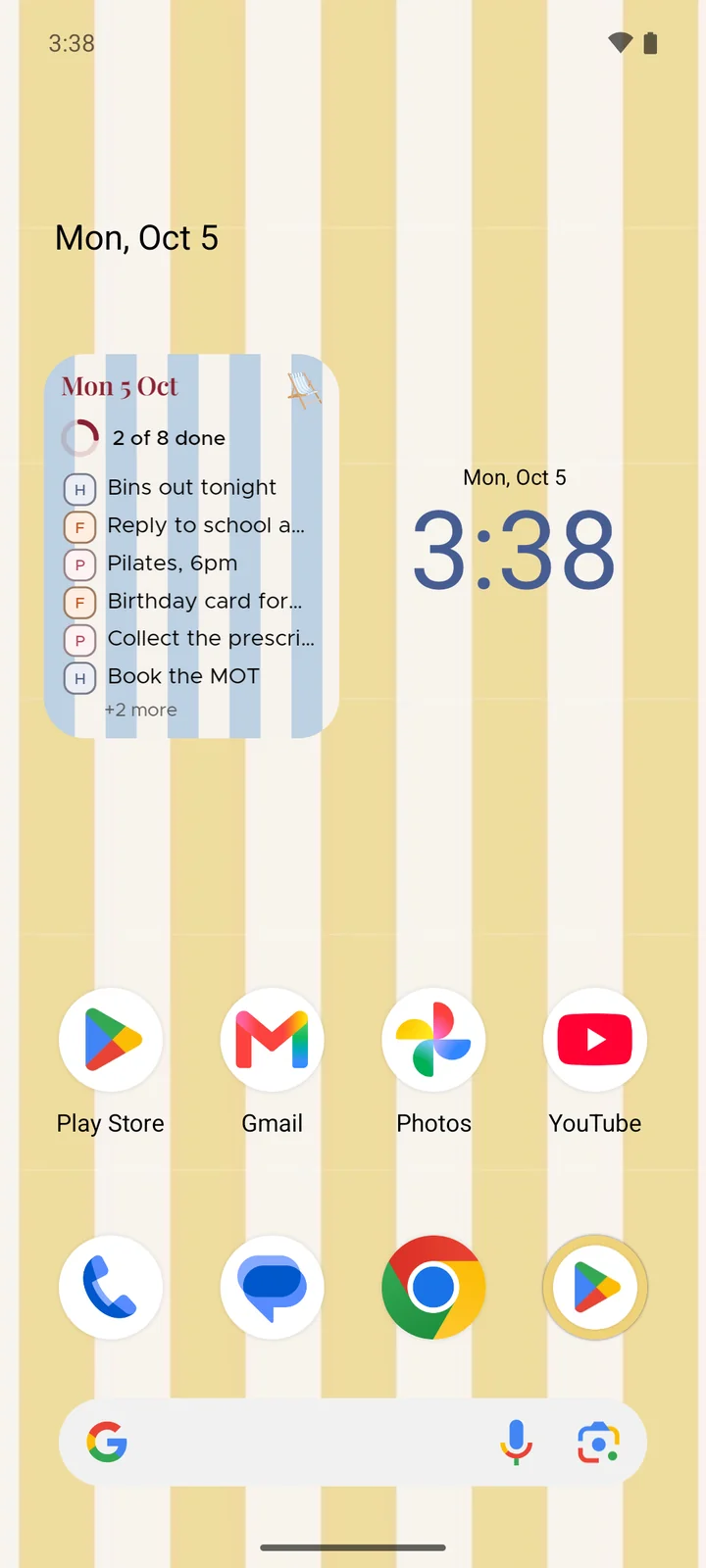
Today's list can sit on your home screen now, with a ring that fills up as you tick things off. Hold Cabana's icon, or add the Quick Settings tile, to start Say it in one press.
And a few more
- A bell for what the people you share with have added or ticked off, and for anything an email brought in.
- Tap the circle at the top of a day to tick off everything left on it, with an undo if you didn't mean it.
- One little calendar wherever a task moves: today, tomorrow, next week, any day you like, or the month's tray.
- On your phone, Cabana opens on your plan with no signal, and your changes catch up when you're back online.