
Brain dump
Get it out of your head. We'll tidy it up.
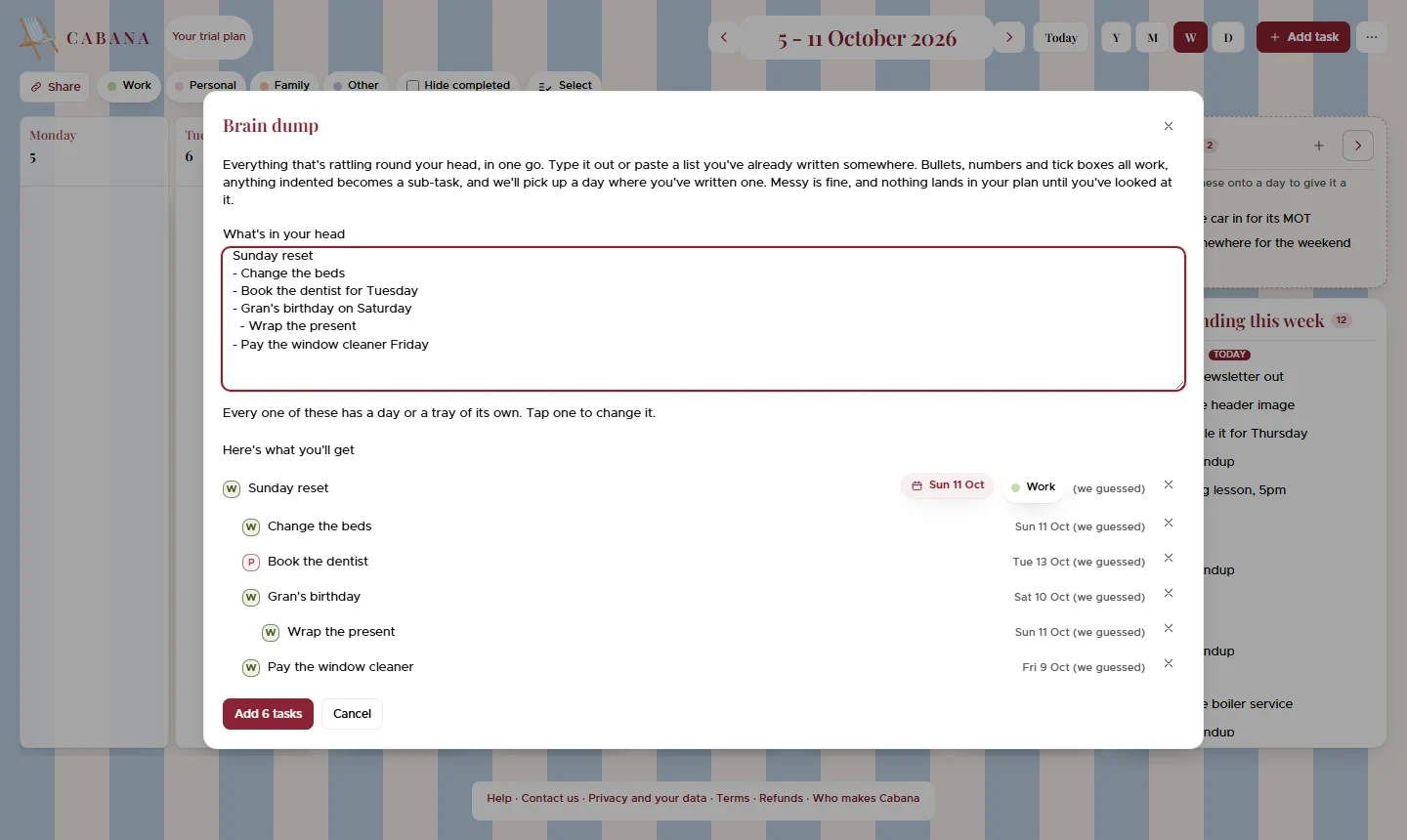
Everything rattling round your brain, in one go. Type it out or paste a list you already wrote somewhere, and Cabana turns it into tasks with the days you mentioned.
On iPhone, Android and the website
How it works
Open Brain dump
It's in the + menu, on every screen you use Cabana on.
Type it or paste it
The list from your notes app comes with its bullets, its indents and its ticked boxes. A long rambly paragraph works too.
Look, then add
See every task and the day it's going on. Anything without a day can wait in the month's tray until you're ready to decide.
Good to know
- A list stays your list
- Write a list and every line becomes a task in your own words. Only the sentences get turned into something you can tick.
- From another app
- On Android, share some text to Cabana from anywhere and it opens here, ready to look over.