
Say it: talk your week out loud
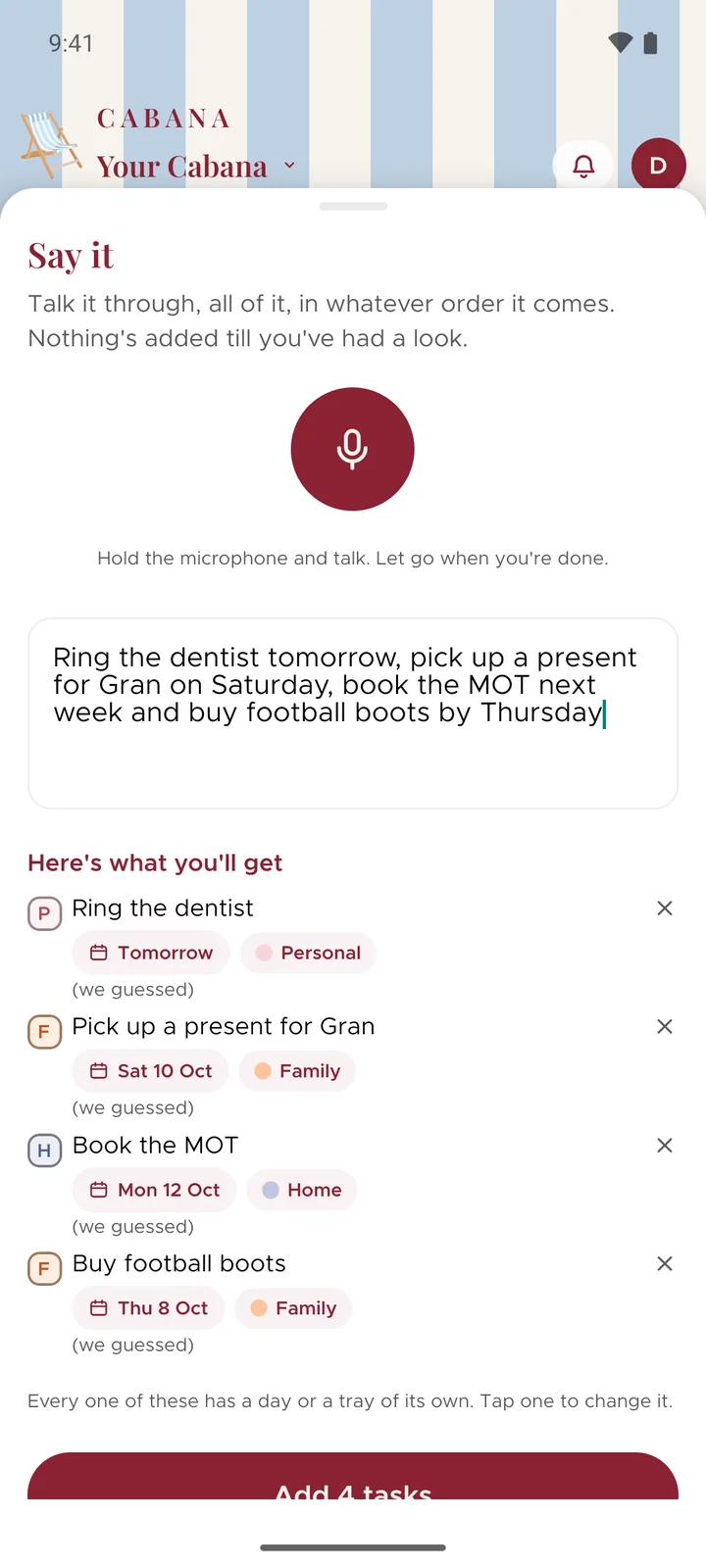
Hold the microphone, talk it all through in any order, and Cabana turns it into tasks on the right days. Here's how to get the most out of it.
Some weeks are easier to say than to type. Say it is for those: you talk, it listens, and what you said comes back as tasks you can check before they go in.
How it works
- On a phone, tap the round + at the bottom and pick Say it. On the website, it's in the menu behind the three dots at the top.
- Hold the microphone and talk. Say the days the way you'd say them to a friend: Friday, next week, the 14th.
- Let go, then read through what it made. Change a day, a category or the words, and add them.
Your voice stays yours
The sound of your voice never reaches Cabana, only the words. On a phone, they're heard on the phone itself.
Without opening the app
On an iPhone with iOS 18 or later, start Say it from Control Centre, the Lock Screen or the Action button. On Android, hold Cabana's icon or add the Quick Settings tile.