
What's new in Cabana 1.3.0
Two new widgets for your home screen, four gentle reminders you switch on yourself, and a heads-up from your phone when somebody shares a plan with you.
This one's for your phone, and for the bits of Cabana you see without even opening it. It's all in the iPhone app and the Android app, so update yours and have a look.
Your week and your month, on your home screen
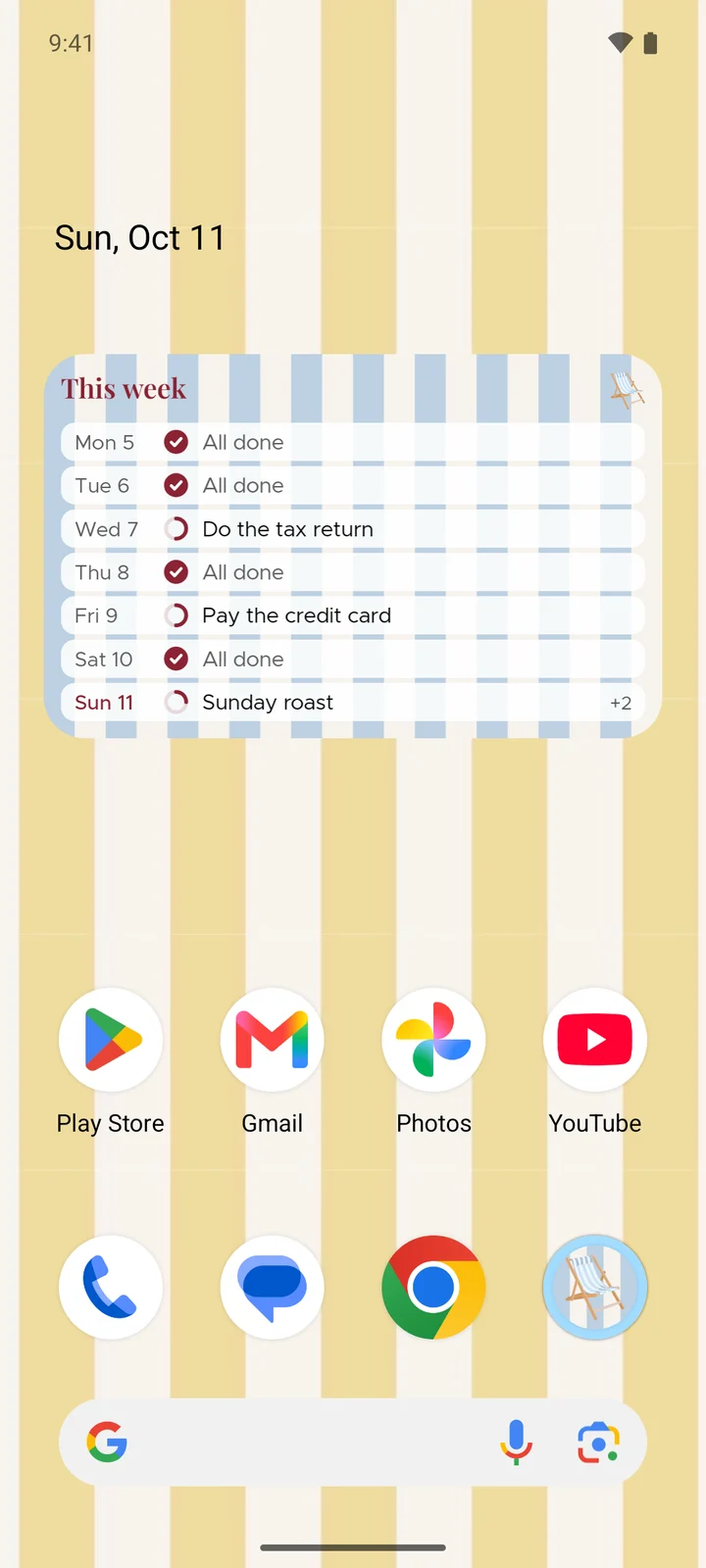
The Today widget has company. This week is your seven days with a ring for each one, and when you give it a bit more room it shows the next thing left on every day too.
This month is the whole month at a glance, with a little ring under each date that fills up as you tick things off. It's the big one, so it wants some space.
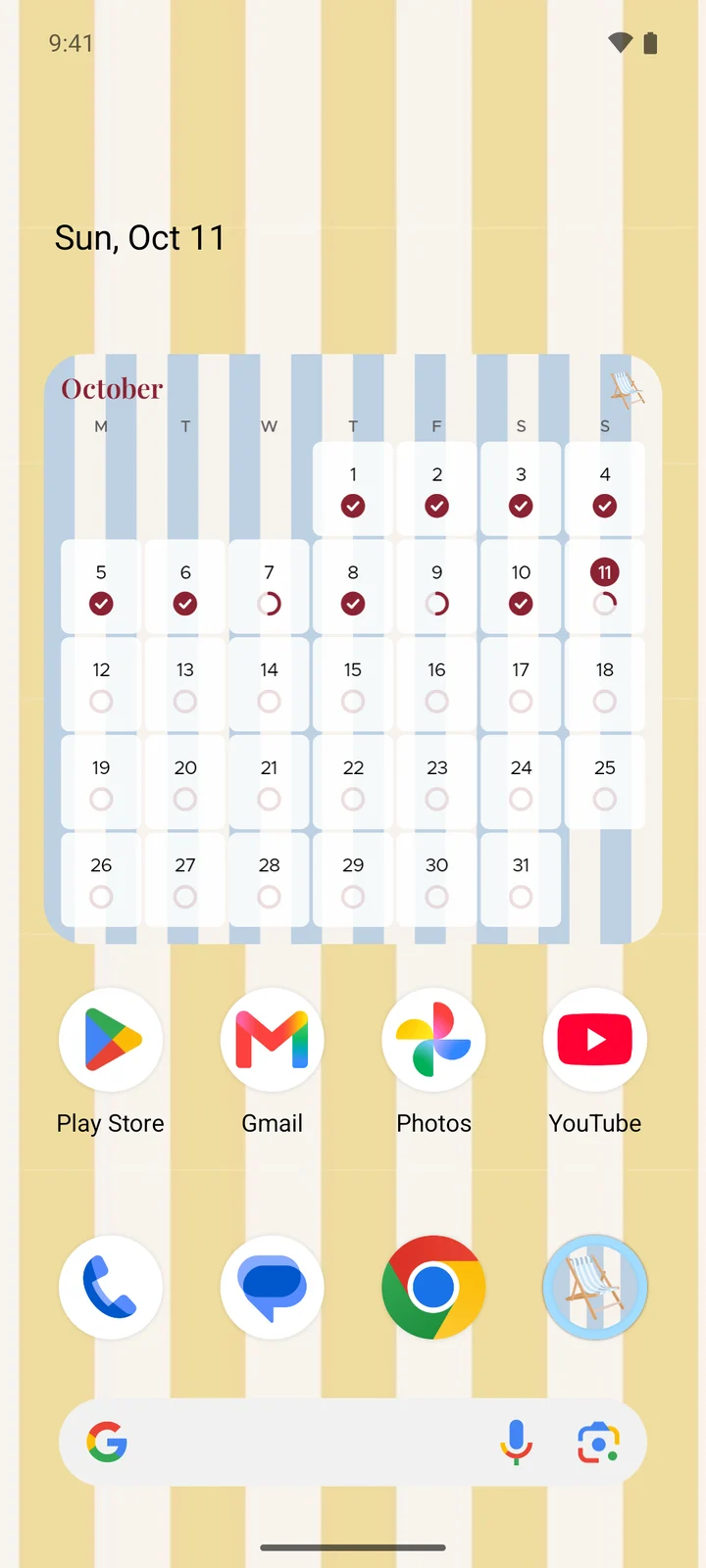
You'll find both next to Today, wherever your phone keeps its widgets. Tap any of them and Cabana opens on today.
Four new reminders
There used to be two reminders, one for the morning and one for the evening. Now there are six, each with its own switch, and they're all off until you turn them on.
- Sunday reset. A nudge on Sunday to line up the week ahead.
- Week's wrap. On Friday, how many things you ticked off. It only turns up when there's a few to shout about.
- New month. A hello on the 1st.
- If I go quiet. One nudge after three days away and one after a week. Then we hush.
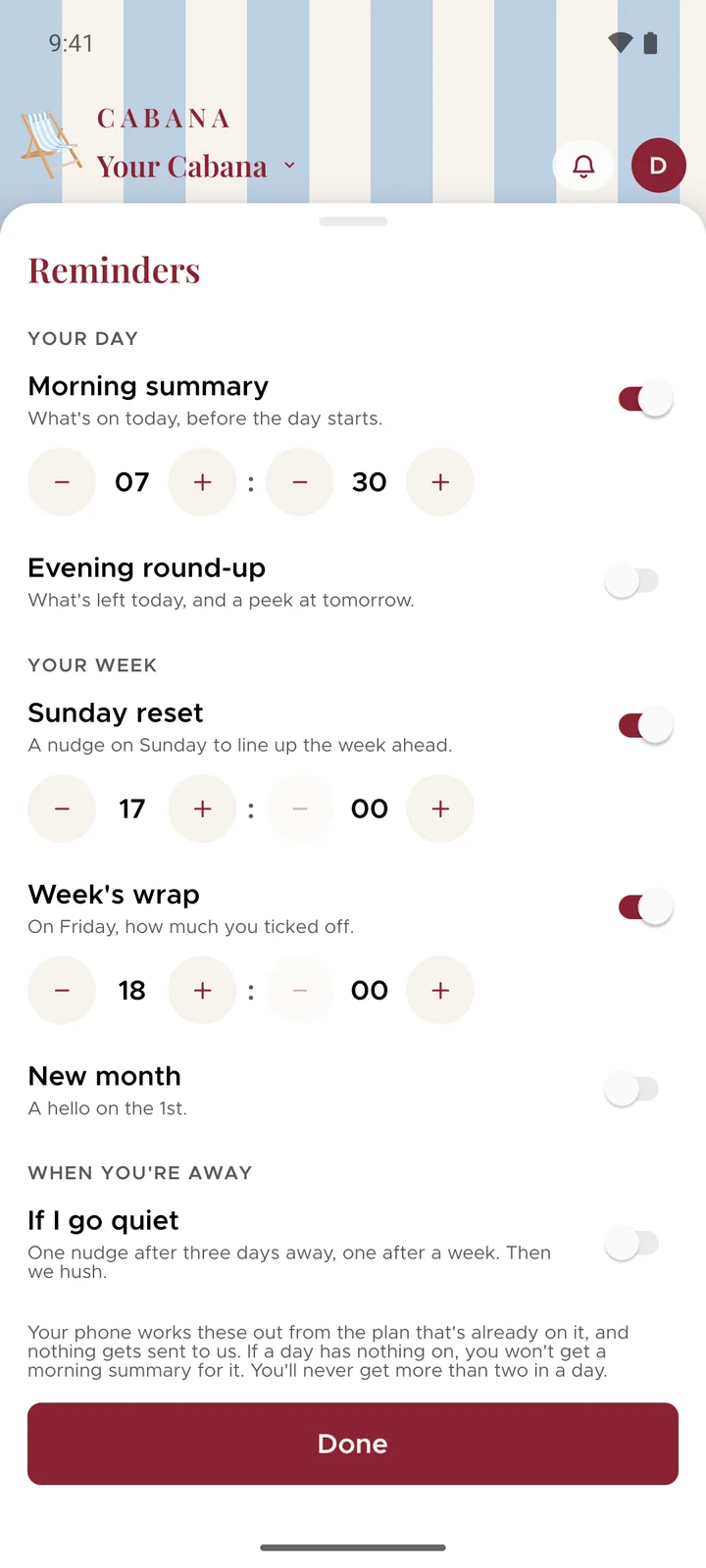
You pick the time for each, and you'll never get more than two in a day however many you switch on. Your phone works them out by itself, from the plan that's already on it. They live under Reminders, in the menu behind your initial at the top.
When somebody shares a plan with you
Your phone tells you now, so an invitation isn't left sitting behind the bell until you next open Cabana.
On Android, for now, it goes a step further on a plan you're already sharing. When one of your people adds, changes or ticks off some tasks, you get a line like "Emma added 3 tasks". Your phone checks about every quarter of an hour, so give it a few minutes. The line never says what the tasks are or what the plan's called, because a notification can end up on a lock screen.
And two little fixes
On Android, the keyboard used to sit on top of some of the boxes you type in, like the one for sharing a plan. Not any more. And on both phones the bell catches up the moment you open the app, so a plan that's just been shared is there waiting.