
What's new in Cabana 1.3.1
Stay signed in to more than one account and hop between them, an evening round-up of what's left today, and iPhones that say who did what on a plan you share.
This one follows straight on from 1.3.0. Most of it's in the iPhone app and the Android app, and the first bit's on the website too.
More than one account
If you've got two Cabana accounts, say one for home and one for work, you can stay signed in to both and hop between them. You won't have to sign out or type your password again.
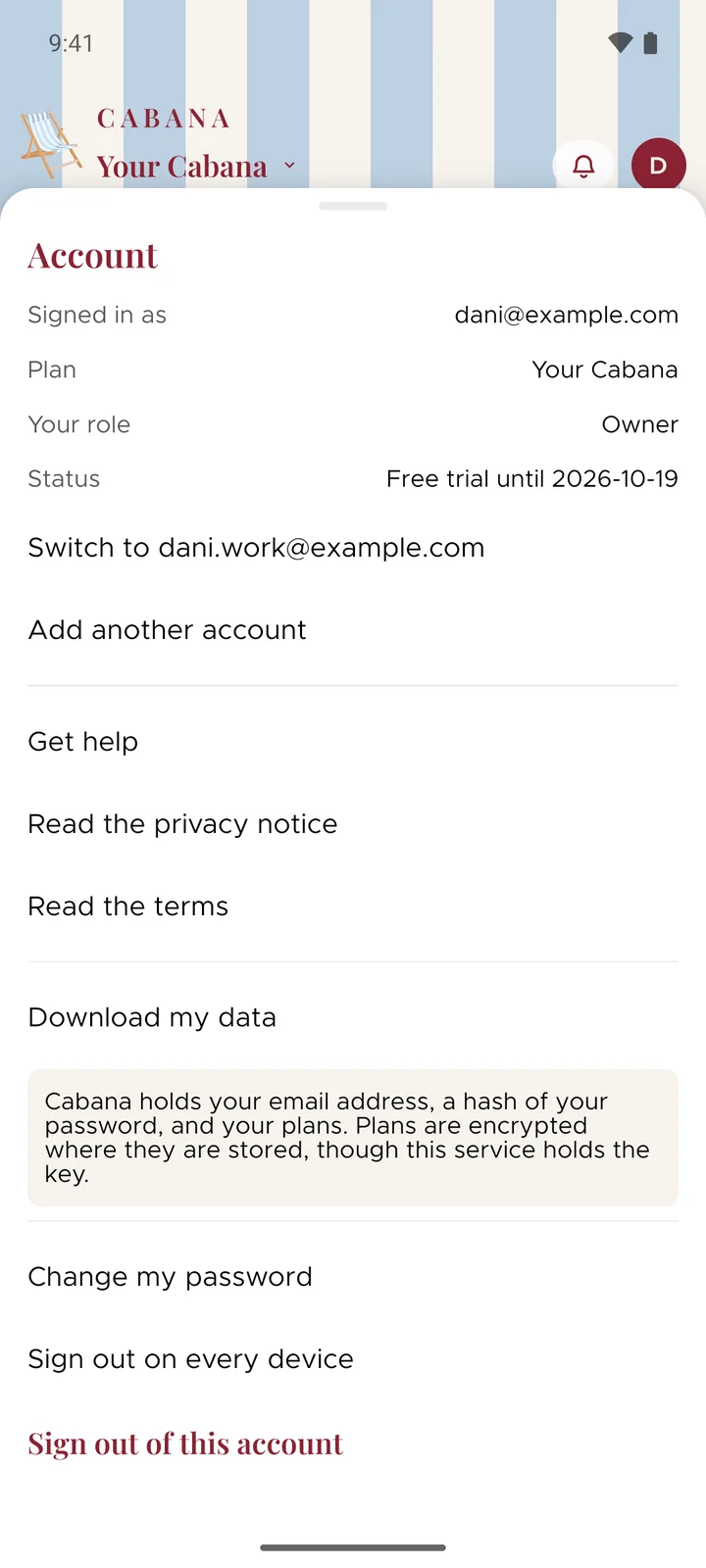
On the website it's in the menu behind your initial at the top. In the apps, open that same menu and tap Account. Choose Add another account, sign in to it once, and after that the other one's a tap away. You can keep up to five on one phone or browser.
Each account stays its own, with its own plans and its own subscription. Sign out of this account signs out only the one you're in.
An evening round-up
The evening reminder used to be a peek at tomorrow. Now it tells you what's still left of today as well, so you can decide what's getting done tonight and what's moving.
It says something like "2 left today, 3 on tomorrow", with the first couple from each day underneath.
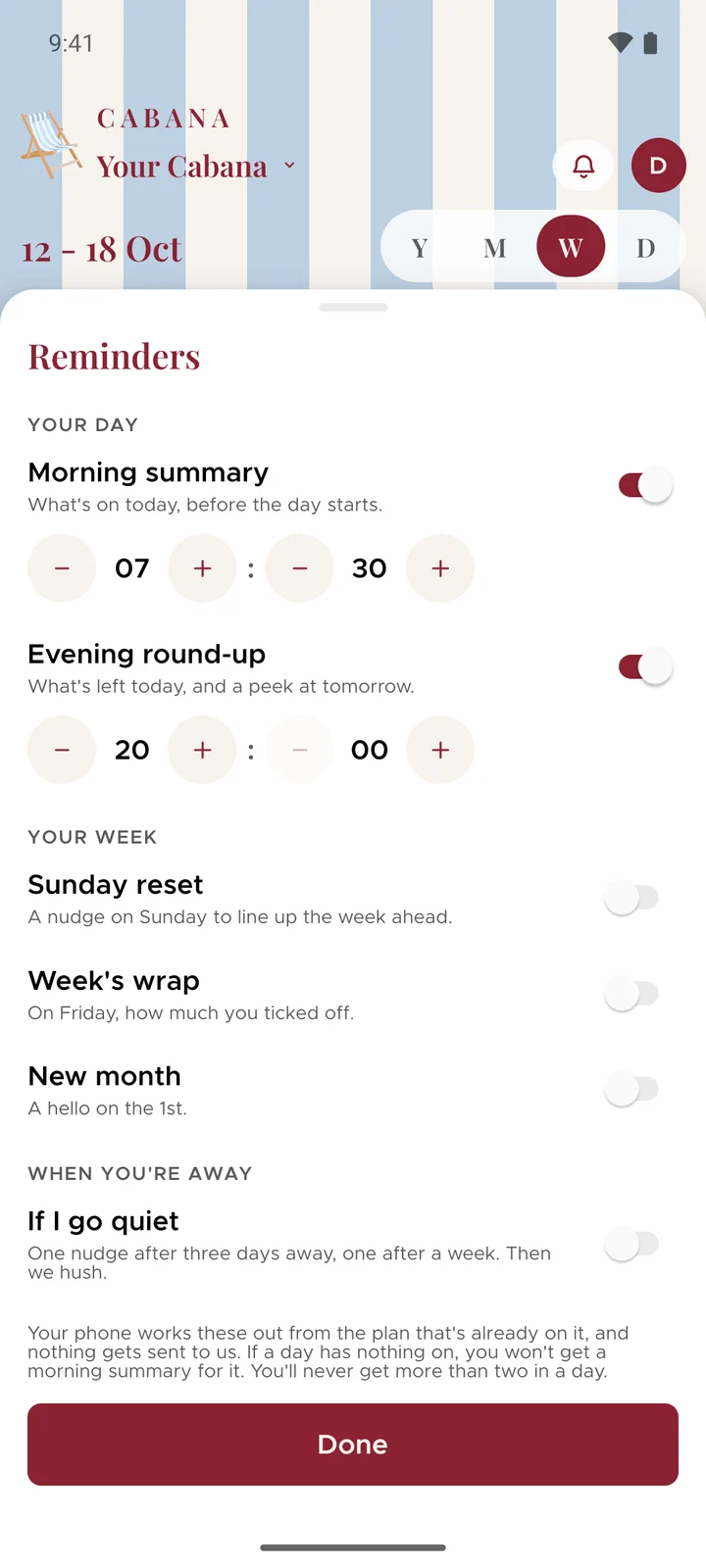
It's called Evening round-up and it's with the others under Reminders. If you'd already switched the evening one on, it's still on and there's nothing to change.
iPhones say who did what
In 1.3.0, an Android phone could tell you when one of your people added, changed or ticked off tasks on a plan you share. iPhones do it too now, with a line like "Emma added 3 tasks".
It never says what the tasks are or what the plan's called, because a notification can end up on a lock screen. You won't get more than one of these every quarter of an hour, however busy everybody is.
If your iPhone can't reach Cabana at that moment, the notification says "Something new in Cabana" instead, and the rest is behind the bell when you open the app.
And three fixes on Android
- Cabana's notifications have the little deckchair on them. It used to be a plain shape.
- The This week and This month widgets tell a screen reader what they are. They used to say they were Today.
- If you use a keyboard with your phone or tablet, pressing Escape to close something could leave the menus stuck until you restarted the app. That's sorted.