
What's new in Cabana 1.4.2
Too much on today? Lighten it in one go. And any big job can be broken into small steps from its menu.
A smaller update, for the days when there's just too much. It's on the website, the iPhone app and the Android app.
Lighten today
When more than five things are left on today, Lighten today shows on today's card. Press it and Cabana picks three that look most like today's to keep. Change them if you like, then choose where the rest go: tomorrow, across the rest of the week, or the month's tray for whenever.
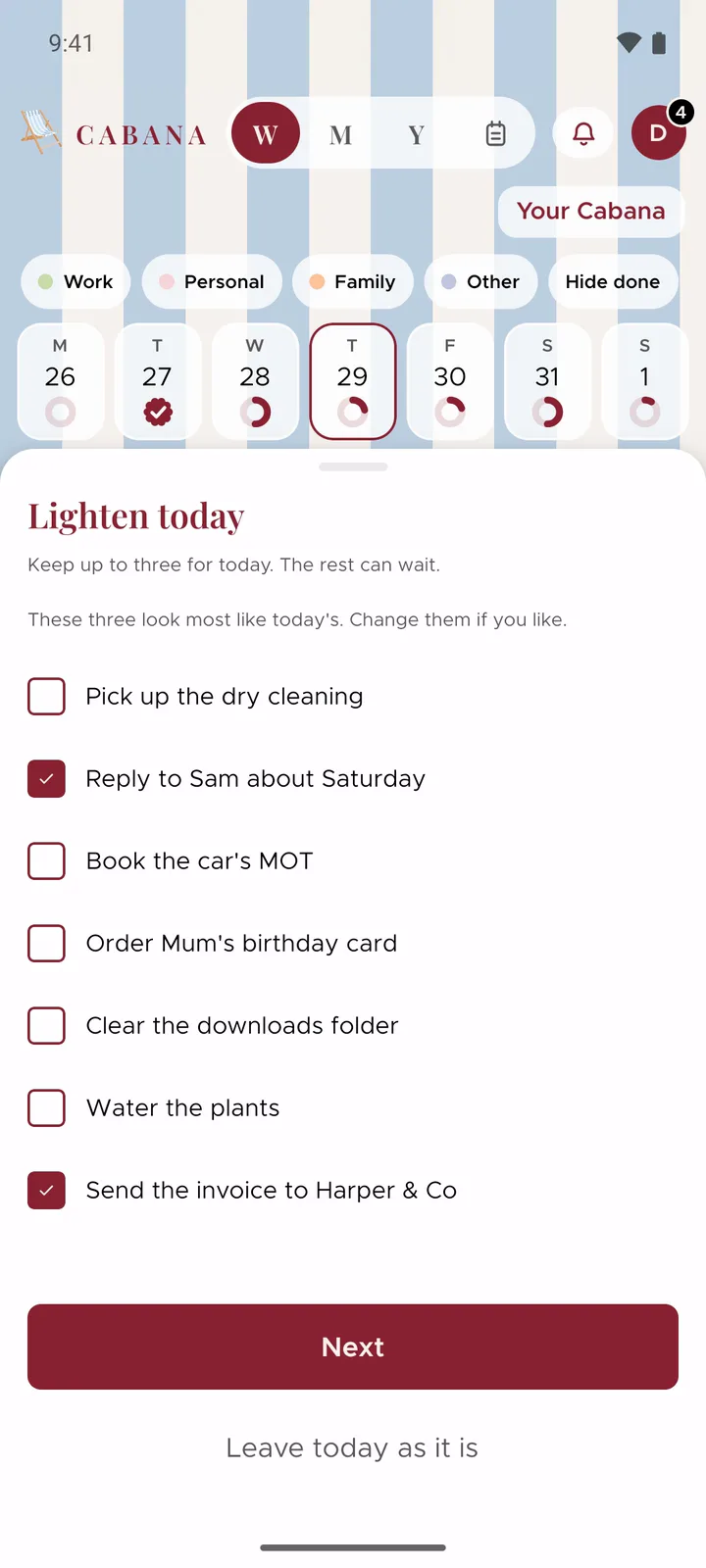
Everything moves in one go, and one Undo puts it all back. Nothing's deleted, it's just moved somewhere kinder.
Break it down
Some jobs are too big to know where to start. Open a task's menu and choose Break it down, and you get three or four small steps to put under it. Change any of them, leave one out, then press Add these steps.
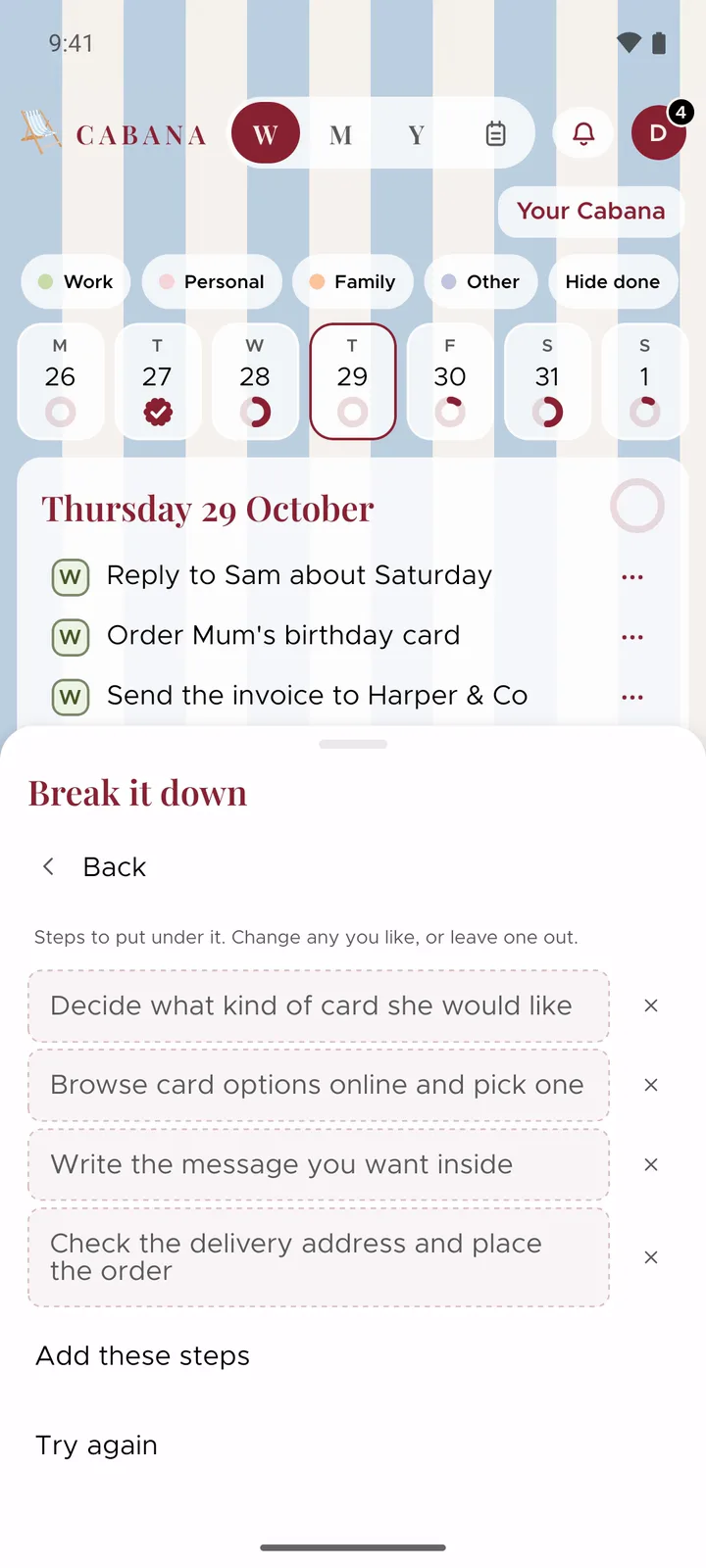
The steps sit under the task like any you'd add yourself, so ticking off the last one ticks off the big one too. Changed your mind? One Undo takes them away again.
And a couple more
- A tap when your stamp lands. Finish a day on your phone and, if you've never set up reminders, Cabana asks whether you'd like one in the morning when your stamp's in.
- Undo for Plan it with me. One Undo now takes back the jobs it added to a note.