
When a day's too much
Lighten a day that's too full in one go, and break a big job into small steps you can actually start.
Updated on 1 November 2026
Lighten today
Once more than five things are left on today, Lighten today shows on today's card. It's only ever on today, so the rest of your week stays exactly as you planned it.
Press it and Cabana picks up to three to keep, the ones that look most like today's. Tick or untick to change them, then press Next.
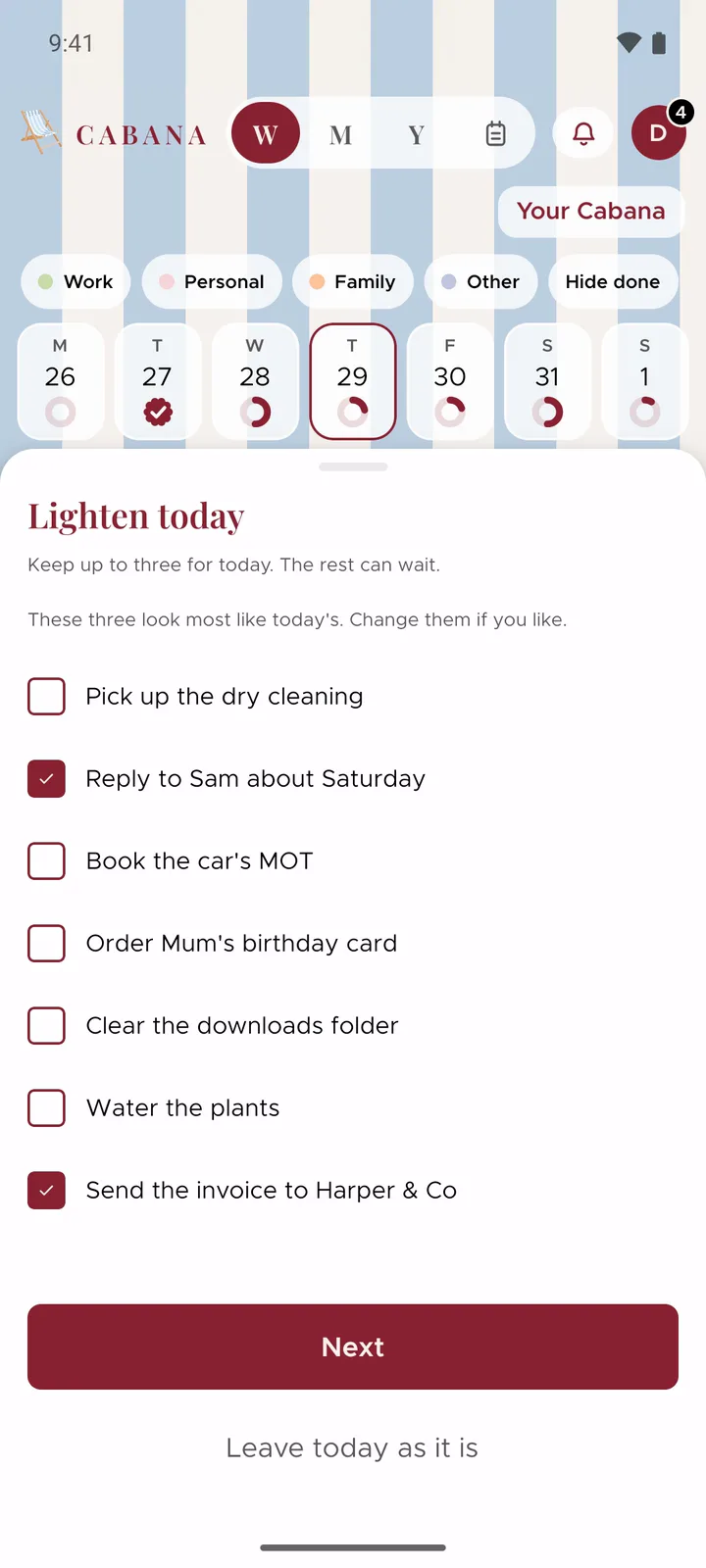
Then choose where the rest go: tomorrow, across the rest of this week with a few on each day until Sunday, or the month's tray for whenever. In the last week of a month, the tray is next month's.
A repeating task stays where it is, and so does anything already ticked off. Everything else moves in one go, and one Undo puts it all back.
Break it down
Open a task's menu, the three dots at the end of its row, and choose Break it down. You'll get three or four small steps to put under it.
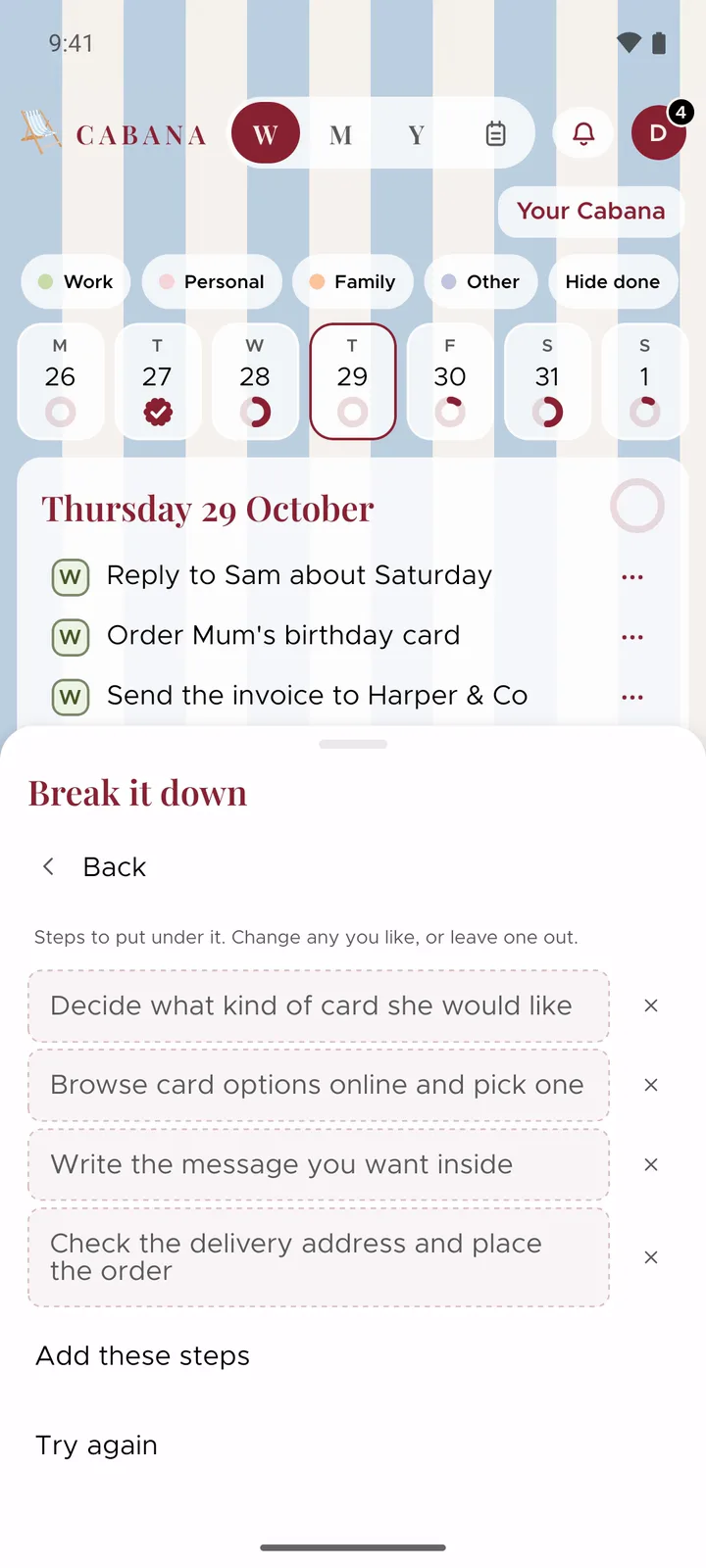
Change the words of any step, or press its cross to leave it out. Try again asks for a fresh set. When they look right, press Add these steps and they go under the task, just like steps you'd added yourself. One Undo takes them away again.
It's on plans you own, on the website and in the app. Want to tuck steps under a task by hand? Sub-tasks shows how.