
Share just one note
Planning a hen do or a birthday? Share one note from Bits & bobs with the people doing it with you, and keep the rest of your plan to yourself.
Some plans aren't only yours. A hen do, a birthday, a big family Christmas: there's a group of you doing it, and none of them need to see your dentist appointment. So now you can share one note from Bits & bobs on its own.
Just that note
Open the note and choose Share this note from its menu. Say the first name you'd like everybody to see, then send an invite to an email address, or make a join link for the group chat.
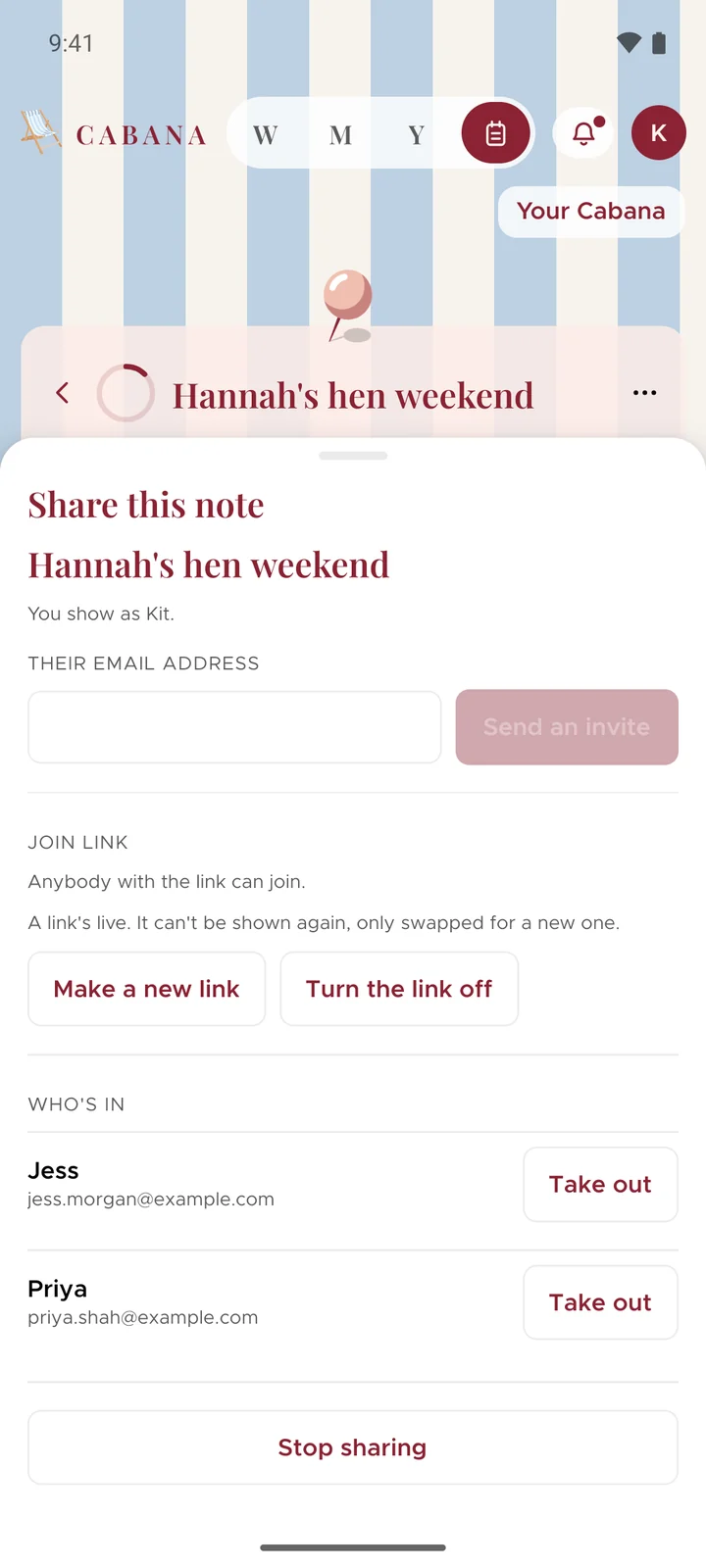
They see that note and nothing else from your plan. Nobody else in your plan sees it at all, so a surprise stays a surprise. And the people you share it with never pay a thing.
Everybody chips in
Everybody in it can add jobs, tick them off and pick them up. Who's doing it puts a name on a job, and whatever's still yours to do sits at the top. A job with a date keeps it, and stays in the note rather than filling up anybody's calendar.
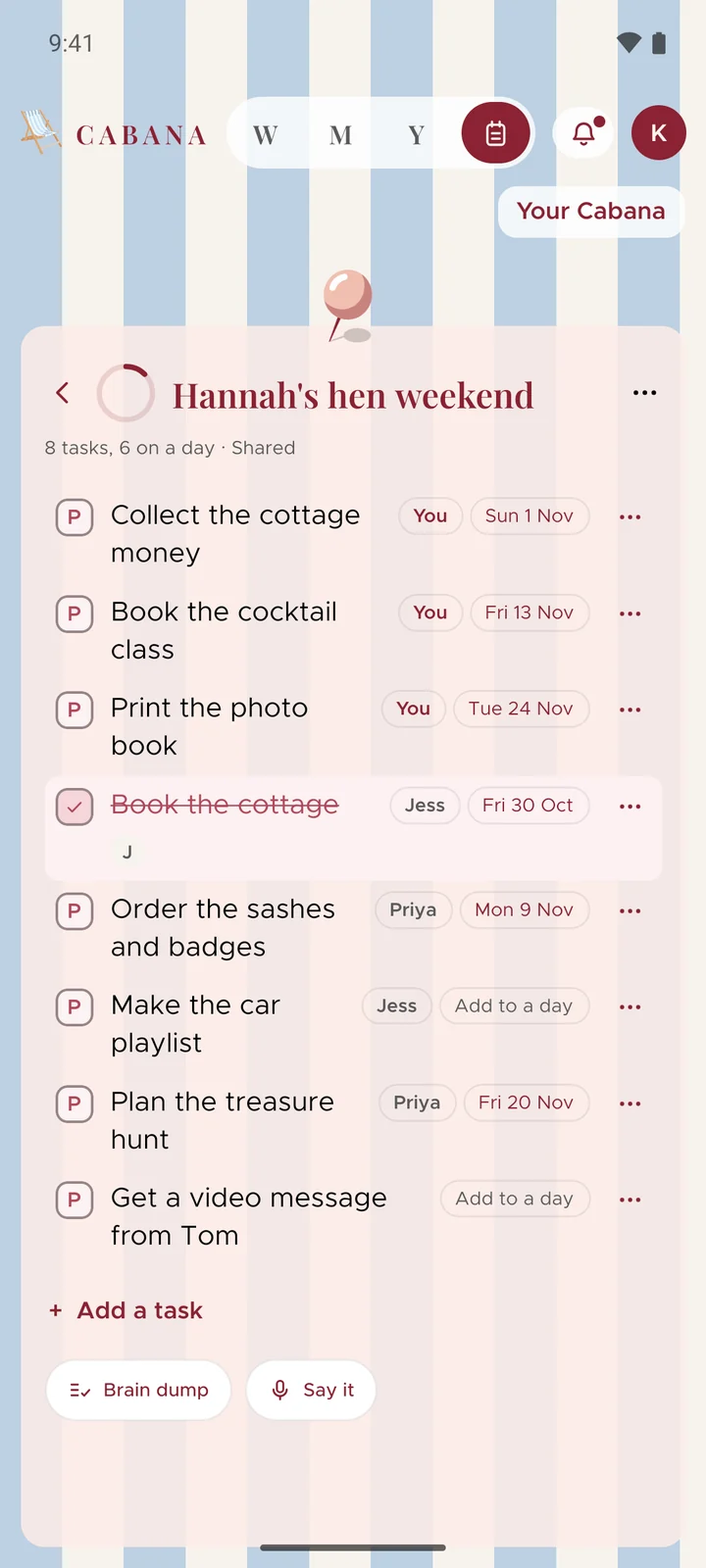
When somebody ticks something off, it's there behind the bell, and your phone lets you know too.
Plan it with me
Not sure where to start? Plan it with me asks when it is, how many of you there are, a budget each and anything that has to happen. Then it suggests up to twelve jobs and when each one needs doing by, worked back from the day itself. You see them first and keep the ones you want. It's on every note, shared or not.
Done with it?
Stop sharing whenever you like, and everybody keeps a copy of their own. Anybody you've shared it with can leave too.
And a few more
- Paper to match the pin. Every note's paper takes on the colour of its pin, and the pins themselves are new.
- One category for the lot. Adding a few tasks at once? One pick above the list puts them all in the same category.
- Hear when you're given more. If somebody shares more of their plan with you, it's waiting behind the bell and in your inbox.