
Archive a category
Put a category away without deleting it. Its tasks go with it, and they all come back when you unarchive it.
Updated on 13 November 2026
Putting one away
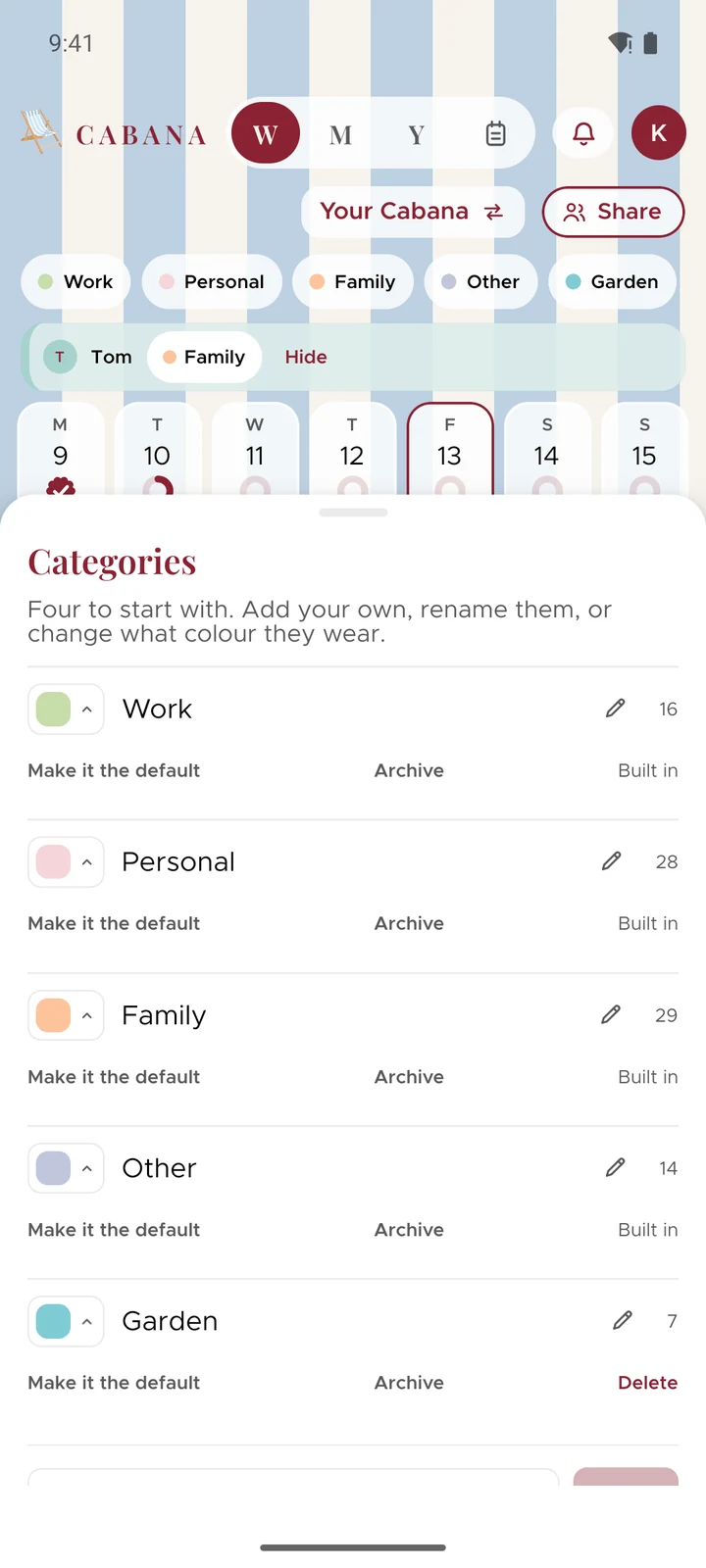
On the website, press your plan's name at the top and choose Categories. In the app, tap your initial at the top, then Categories: archiving is there from version 1.7.1. Press Archive beside the one you don't need right now.
It leaves your categories along the top and every list you pick one from, and its tasks go with it: off your days, your month, your trays, your widgets and Search. Nothing's deleted. Changed your mind? Press Undo on the message that comes up.
Getting it back
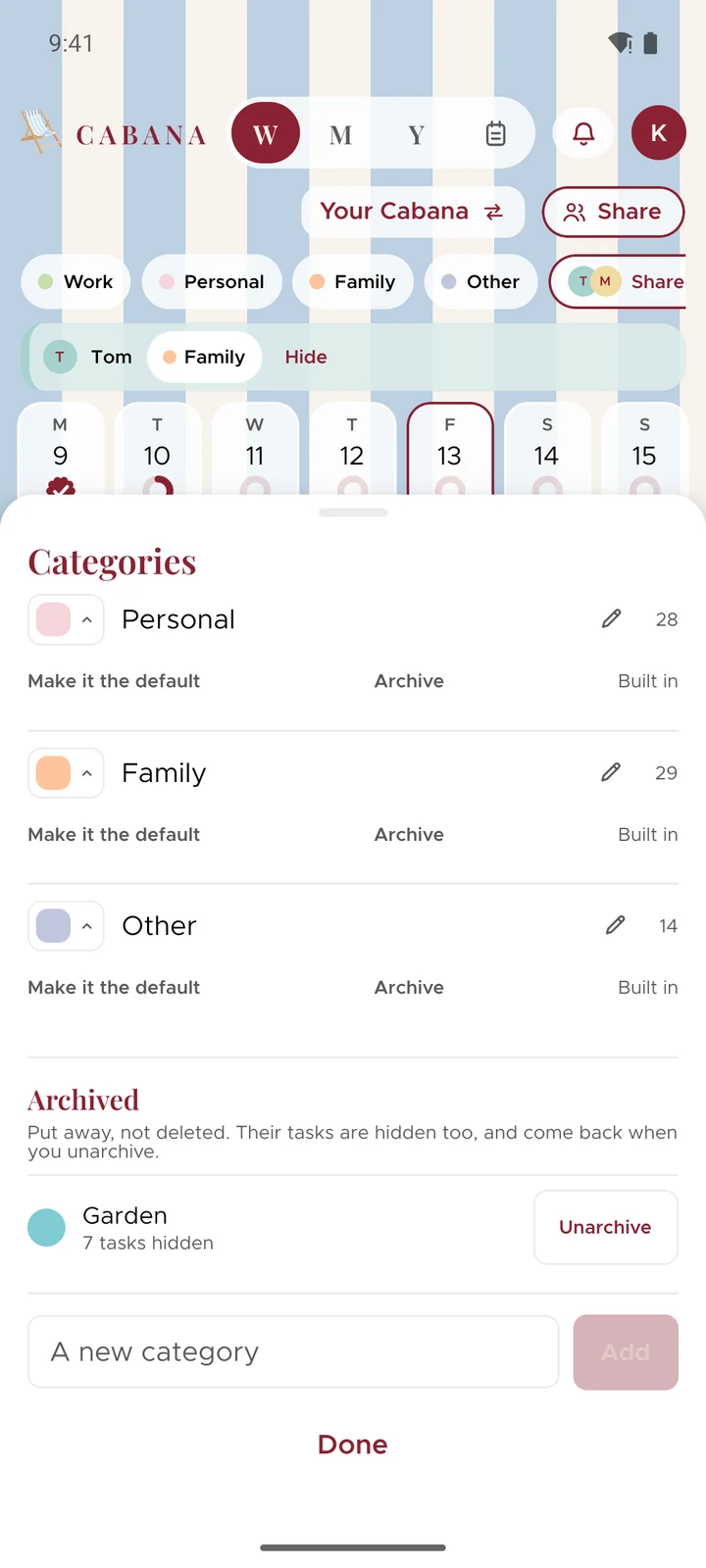
Archived categories wait at the bottom of Categories, each saying how many tasks it's keeping hidden. Press Unarchive and it's back, with every task where it was.
The ones that stay
Any of your categories can be archived, the four Cabana starts you with included, except your default and your last one. To archive your default, make another one the default first.
A category somebody's shared with you is theirs, so you can't archive it. To keep it out of your week, switch them off in Shared instead.