
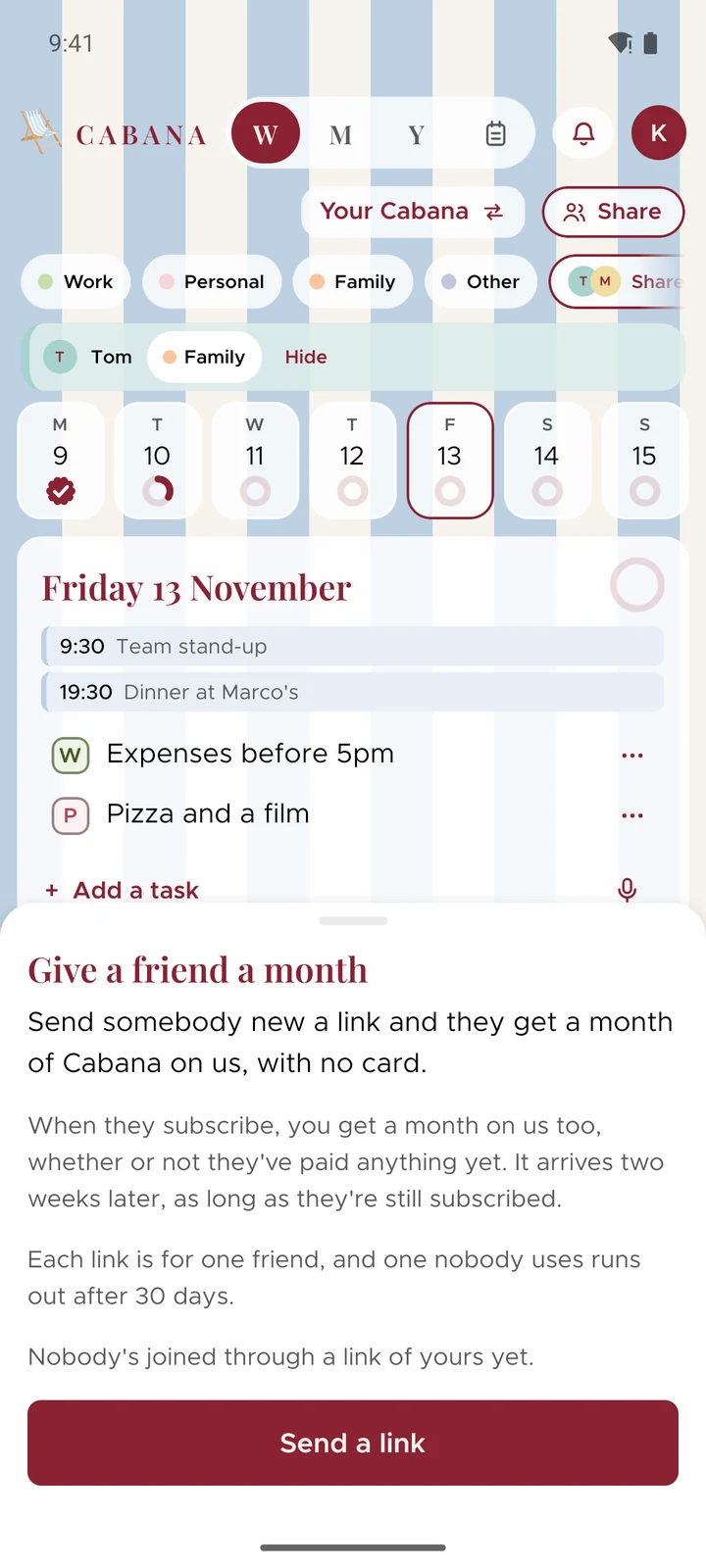
Give a friend a month
Send somebody new a link to a month of Cabana on us, and get a month yourself once they've subscribed.
Updated on 13 November 2026
Sending a link
On the website, open your account menu at the top right and choose Give a friend a month. On a phone, it's in More.
- Send a link opens your share sheet, so it goes by message, email or however you usually talk to them.
- Copy a link, on the website, makes one ready to paste anywhere.
Each link is for one person, so press again for the next friend. A link nobody uses runs out after 30 days, and you can have three out at once.
What your friend gets
Their link opens Cabana with a month on us waiting, and no card to put in. They make their account and the month starts, in place of the week a new account usually gets.
A friend has to be new to Cabana, an address that's never had an account. Somebody you invite to a plan or a shared note who makes their own account to join it counts as your friend too.
What you get, and when
Once your friend has subscribed, whether or not they've paid anything yet, and they're still subscribed two weeks later with nothing refunded, you get a month on us. There's no limit: one for each friend. We tell you behind your bell and in an email that a friend you sent has subscribed, and never which friend.
How your month arrives depends on how you pay:
- Not paying yet, or you've stopped: it's a month of Cabana on us.
- On the website: your next payment moves a month later.
- Through Google Play: Google moves your next payment a month later.
- Through the App Store: it's an offer waiting in the Cabana app on your iPhone. Press Claim it, and it starts at your next renewal. Apple lets one run at a time, so a second waits until the first has run out.